
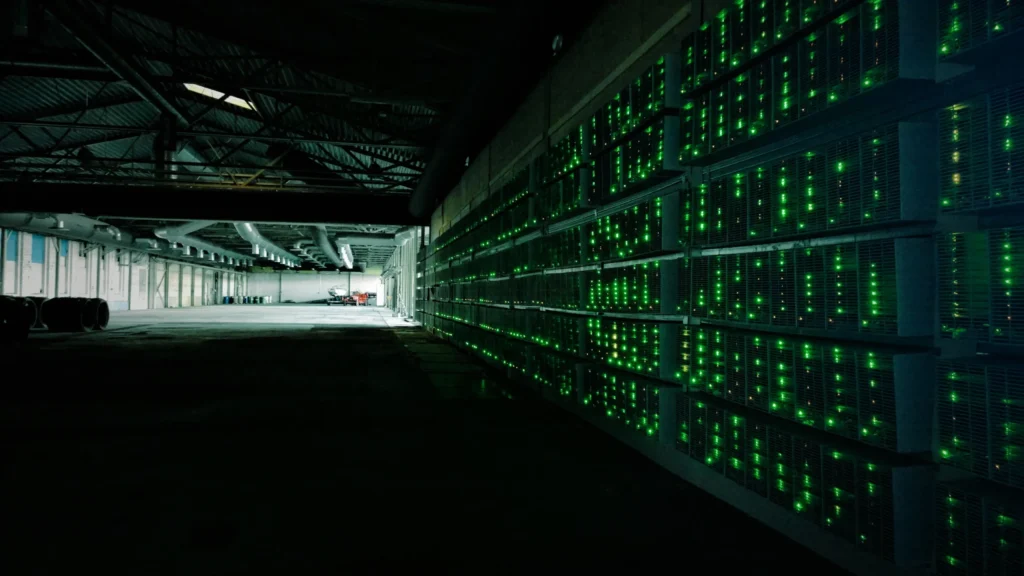

Microsoft identified more than 150 malicious domains behind a single cryptojacking malware campaign active since March 2026, one that specifically targets PC enthusiasts running high-performance GPUs (Microsoft, 2026). Nothing gets encrypted. Nothing gets stolen in the traditional sense. Your computer just quietly works for someone else.
Cryptojacking malware is built to stay invisible for as long as possible. Unlike ransomware, it doesn’t want you to notice it exists, because every day it runs undetected is another day of free mining profit for the attacker.
This guide explains exactly how cryptojacking malware spreads, how to recognize it on your own device, and what independent research shows about how big this problem has become in 2026.
None of the detection steps below require special tools you don’t already have. A few minutes with your system’s built-in performance monitor is often enough to catch it.
Key Takeaways
- A single 2026 cryptojacking campaign used more than 150 malicious domains to target gamers and PC enthusiasts with high-end GPUs (Microsoft, 2026).
- 65% of compromised cloud accounts have experienced unauthorized cryptocurrency mining, prompting Google Cloud to offer $1 million in financial protection against it (Google Cloud, 2026).
- SonicWall recorded a 659% surge in cryptojacking incidents as the technique scaled globally.
- Sustained high CPU or GPU usage with no obvious cause remains the most reliable sign of cryptojacking malware on a personal device.
Table of Contents
What Is Cryptojacking Malware?
Cryptojacking malware hijacks your device’s processing power to mine cryptocurrency without your permission, sending any coins earned straight to the attacker’s wallet. Your electricity bill and hardware wear pay the cost; the attacker keeps the reward.
Some variants install directly as a background program. Others run entirely inside a browser tab through a malicious script, meaning simply visiting a compromised website can trigger mining with no download at all.
Because this kind of infection doesn’t destroy files or lock your screen, it can run for weeks or months without detection, silently draining performance and shortening hardware lifespan the entire time.
How Cryptojacking Malware Gets Onto Your Device
The most active 2026 campaign Microsoft tracked disguised its payload as legitimate PC utility software. Fake download pages impersonated real tools like CrystalDiskInfo, HWMonitor, and Display Driver Uninstaller, promoted through poisoned search results.
Attackers specifically targeted people searching for GPU diagnostic and driver tools, since that audience is more likely to own the high-performance graphics hardware that makes mining profitable. Some of the same campaigns also used AI chatbots that recommended the malicious download domains in generated responses.
Beyond fake utilities, browser-based mining scripts embedded in compromised or malicious websites remain common. Malicious browser extensions and cracked software installers are two more frequent delivery paths for this type of malware.
Torrent sites and pirated game repacks are a particularly common source, since visitors already expect a slightly risky download experience and are less likely to scrutinize an unfamiliar executable bundled alongside the file they wanted.
Supply-chain compromise is a smaller but more dangerous vector. A legitimate software update server or plugin repository gets breached, and a mining payload rides along with an otherwise normal, trusted update — no user mistake required at all.
Why This Threat Keeps Growing
The economics explain the growth better than any single technique. Mining requires no negotiation, no ransom note, and no victim cooperation — just time and undetected access to processing power. That low-friction business model is exactly why criminals keep investing in new delivery methods.
The Scale of the Cryptojacking Malware Problem in 2026
SonicWall’s threat research recorded a 659% surge in cryptojacking incidents as the technique scaled from a niche nuisance into a mainstream monetization method for criminals, with Europe seeing an even steeper 1,046% increase during the same tracked period.
The 2026 campaign Microsoft uncovered went further than older browser-script attacks. It installed ScreenConnect for persistent remote access alongside the mining payload, giving attackers a foothold for data theft or further compromise beyond just stolen compute power.
Cloud Cryptojacking: A Different Kind of Target
Cloud accounts face a distinct version of the same threat. Google’s Threat Horizons research found that 65% of compromised Google Cloud accounts experienced cryptojacking malware or unauthorized mining activity (Google Cloud, 2026).
The financial exposure is severe enough that Google Cloud now offers customers up to $1 million in financial protection against undetected cryptomining attacks through its Security Command Center Premium tier. A single compromised cloud account can rack up hundreds of thousands of dollars in unauthorized compute charges within days.
Signs Your Device Has Cryptojacking Malware
- Sustained high CPU or GPU usage. Especially when no demanding program is visibly running.
- Unusual heat and fan noise. Sustained mining load pushes hardware to run hotter and louder than normal, even during light use.
- Noticeably shorter battery life. On laptops, cryptojacking malware can drain a full charge far faster than your typical usage pattern.
- Slower everyday performance. Apps that normally open instantly start lagging because the CPU is busy elsewhere.
- Spikes tied to specific websites. If usage jumps the moment you open a particular tab, that page may be running a mining script.
Cryptojacking Malware vs. Ransomware: Why It’s Harder to Notice
| Trait | Cryptojacking Malware | Ransomware |
|---|---|---|
| Visibility | Silent by design | Announces itself immediately |
| Goal | Ongoing resource theft | One-time extortion payment |
| Typical lifespan | Weeks to months undetected | Hours before discovery |
| Victim cost | Electricity, hardware wear, performance | Ransom demand, downtime |
This is exactly why cryptojacking malware is such an attractive business model for criminals. There’s no ransom note to scare off a victim and no urgent reason for anyone to go looking for it.
How to Protect Yourself From Cryptojacking Malware
Keep real-time antivirus protection active at all times. Modern security suites increasingly include specific detection signatures for known mining scripts and cryptojacking malware families.
- Only download utilities from official vendor websites. Never from search-result links promising a free tool, even if the branding looks correct.
- Use a browser extension that blocks mining scripts. Tools built specifically to stop in-browser cryptojacking add a layer that general ad blockers sometimes miss.
- Check Task Manager or Activity Monitor periodically. Get familiar with your device’s normal idle CPU usage so spikes stand out immediately.
- Keep your browser and OS updated. Many mining scripts exploit known vulnerabilities that patches already close.
- Review browser extensions regularly. Remove anything you don’t actively use or fully recognize.
What to Do If You Find Cryptojacking Malware
Close the browser tab or application immediately if you catch a spike tied to a specific site, then clear that site’s data and avoid returning until you’ve confirmed it’s safe.
Run a full antivirus scan for anything installed at the system level rather than running in a browser. Cryptojacking malware installed as a background program requires proper removal, not just closing a tab.
Check your list of installed programs and browser extensions for anything unfamiliar, particularly software you don’t remember installing yourself.
If you manage cloud infrastructure, audit account activity and API keys immediately after any suspected compromise, since cloud-based cryptojacking malware often piggybacks on stolen credentials rather than a direct device infection.
Rotate any exposed credentials and enable multi-factor authentication on the affected account if it isn’t already active. Attackers who found one weak point often scan for others nearby, so treat a single confirmed incident as a reason to review the whole environment.
Uninstall any recently added software you don’t recognize, and check your browser’s extension list a second time after the scan completes. Some variants reinstall a lightweight extension as a fallback if the primary payload gets removed.
Document what you find before deleting anything, especially on a work device. That record can help IT or a security team confirm whether the same campaign reached other machines on the network.
Why Mining Cryptocurrency Instead of Stealing Data?
From a criminal’s perspective, mining is a lower-risk, lower-effort business model than most alternatives. There’s no buyer to find for stolen data, no negotiation with a ransom victim, and no window where the crime becomes visible the moment it succeeds.
The tradeoff is scale. A single infected device produces only a small, steady trickle of cryptocurrency, which is why attackers running this kind of operation prioritize infecting as many machines as possible rather than targeting one high-value victim.
That volume-first strategy is also why detection tends to lag behind other threats. Security teams and antivirus vendors historically prioritized loud, damaging attacks over a quiet background process that merely slows a machine down.
That’s changing as the financial scale becomes harder to ignore. Cloud providers charging customers for stolen compute time, and enterprises tracking six-figure unauthorized bills, have pushed the industry to treat mining infections as seriously as other malware categories.
Cryptojacking on Mobile and IoT Devices
Phones and tablets are less common targets than desktops, largely because their processors are far less profitable to mine with, but mobile cryptojacking malware does exist, usually disguised inside sideloaded apps from outside official app stores.
Smart home devices and other IoT hardware present a growing target too. These devices rarely run antivirus software and are often left with default credentials, making them an easy, low-effort addition to a larger mining botnet.
If a smart device becomes unusually slow or warm without explanation, a factory reset combined with a firmware update and a strong, unique password is usually the fastest way to rule out a compromise.
Frequently Asked Questions
What is cryptojacking malware?
Cryptojacking malware is malicious software that secretly uses your device’s CPU or GPU to mine cryptocurrency for an attacker, without your knowledge or consent, often running silently in the background for weeks.
How do I know if I have cryptojacking malware?
Watch for sustained high CPU or GPU usage with no obvious cause, unusual heat and fan noise, faster battery drain, and performance spikes tied to specific websites or newly installed software.
Can cryptojacking malware damage my computer?
Yes, indirectly. Sustained maximum CPU or GPU load generates excess heat that can shorten hardware lifespan over time, in addition to the immediate cost of slower performance and higher electricity use.
Does antivirus software detect cryptojacking malware?
Most modern antivirus suites detect known cryptojacking malware signatures and can block many mining scripts, though browser-based variants sometimes require a dedicated anti-mining extension for full coverage.
Is browser-based cryptojacking malware dangerous even without installing anything?
It’s less severe than an installed infection since it typically stops once you close the tab, but it still consumes resources and can indicate you’ve landed on a compromised or malicious website worth avoiding in the future.
Why do cloud accounts get targeted by cryptojacking malware?
Cloud infrastructure offers attackers powerful, scalable computing resources billed to the victim’s account. Google Cloud found 65% of compromised cloud accounts experienced unauthorized mining, which is why providers now offer financial protection against it.
Can cryptojacking malware infect a smartphone?
Yes, though less commonly than desktops since phone processors are far less profitable to mine with. Mobile infections typically arrive through sideloaded apps installed outside official app stores rather than through the app stores themselves.
Conclusion
Cryptojacking malware succeeds by staying invisible, which makes awareness itself one of the strongest defenses available. Knowing your device’s normal performance baseline is often all it takes to catch an infection early.
Download utilities only from official sources, keep antivirus protection active, and check your CPU usage periodically. Those habits close off the most common ways this malware spreads in 2026.
If your fans are suddenly louder or your battery drains faster with no clear reason, don’t dismiss it. That quiet performance drop is often the only warning cryptojacking malware ever gives you.