


A VPN for online banking and shopping encrypts your connection so a network-level attacker can’t intercept your traffic — a real, meaningful protection, especially on public Wi-Fi. But online fraud is a genuinely large problem, and a VPN only covers part of it. Here’s what the real fraud statistics show, what a VPN for online banking actually protects against, what it doesn’t, a real fraud-prevention tool — virtual card numbers — that most VPN guides never mention, and how to recognize a fraudulent banking or shopping site yourself, since no amount of encryption substitutes for that judgment.

Table of Contents
How Big Is Online Fraud, Actually?
Real, government-published numbers, not estimates:
The FTC’s 2024 Numbers
The FTC’s Consumer Sentinel Network Data Book 2024 (published March 2025) recorded $12.5 billion in consumer-reported fraud losses — a 25% jump over 2023 — across 6.5 million total reports. Bank transfers and cryptocurrency combined accounted for more losses than every other payment method combined, which matters specifically for online banking: once money leaves via a bank transfer, it’s far harder to reverse than a disputed card charge. (FTC, March 2025)
The FBI IC3’s 2025 Numbers
The FBI’s IC3 2025 Internet Crime Report logged over 1 million complaints and roughly $20.9 billion in total losses, a 26% year-over-year increase. phishing/spoofing was the single most-reported crime type by complaint volume — not malware, not brute-force hacking, but tricking someone into handing over access voluntarily. (FBI IC3 2025 Annual Report)
Business Email Compromise Specifically
Business Email Compromise (BEC) accounted for $3.046 billion in reported losses in the same IC3 report, with an average loss per complaint over $122,000 — 86% of that money moved via wire or ACH transfer. BEC scams typically don’t hack a bank account directly; they trick an employee or individual into initiating a legitimate-looking transfer themselves, which is precisely why network-level protection like a VPN can’t stop them.
The Shift Toward Card-Not-Present Fraud
The Federal Reserve Bank of Kansas City published “New Data on Card-Present and Card-Not-Present Fraud Rates in the United States” on February 25, 2026, documenting a clear structural shift: as more commerce moves online, fraud has followed it — card-present (in-store) fraud rates diverged sharply from card-not-present (online) rates by network type between 2021 and 2023, with the online category growing as a share of total fraud. A separate 2024 Federal Reserve survey found debit card fraud was the single largest fraud-loss category reported by financial institutions, with 73% of surveyed institutions reporting debit card fraud attempts — a real, structural reason online banking and shopping security deserves more attention than it typically gets. (Federal Reserve Bank of Kansas City, Feb 2026)
What a VPN for Online Banking Actually Protects Against
Local Network Eavesdropping
On public Wi-Fi especially, a VPN encrypts your traffic so someone on the same network can’t intercept your banking session. See our full breakdown of what is and isn’t safe on public Wi-Fi for the mechanics of exactly how this interception works.
Evil-Twin and ARP-Spoofing Attacks
The same local-network attacks covered in that guide, including a real, prosecuted 2024 airport evil-twin case, are neutralized by a VPN’s encrypted tunnel — an attacker running a fake hotspot can still see that you’re connected, but not what you’re actually sending once it’s wrapped in VPN encryption.
DNS and Destination Visibility
Without a VPN, your local network can often see which domains you’re visiting (your bank, a specific retailer) even over HTTPS, since DNS queries and the TLS SNI field are typically unencrypted. A VPN routes that through its own encrypted tunnel instead, hiding which specific bank or store you’re using from anyone on the local network — though your VPN provider itself can still see it, which is why provider trust matters (more below).
What a VPN Does NOT Protect Against
This is the honest, important limitation: a VPN operates at the network layer. Phishing and social engineering — the single most-reported crime type in the FBI’s own IC3 data — operate at the human layer, and a VPN does nothing to stop them.
Phishing and Social Engineering
- A VPN won’t stop you from typing your real banking password into a convincing fake login page.
- It won’t protect a stolen or skimmed physical card, or a card number entered into a fraudulent checkout page.
- It shifts trust rather than eliminating it — your VPN provider can technically see your traffic instead of the local network, which is why provider audit history matters. See our comparison of VPN providers with real audit histories.
Fraudulent Wire Transfers
A VPN won’t detect a fraudulent wire-transfer request in a spoofed email — the exact mechanism behind that $3 billion+ in BEC losses cited above. For the phishing side specifically, a password manager’s domain-matching autofill is a genuinely useful complementary protection — see our honest password manager comparison — since it won’t autofill your credentials on a lookalike domain, giving you a visible warning sign a VPN alone can’t provide.
Virtual Card Numbers: An Extra Layer a VPN Doesn’t Provide
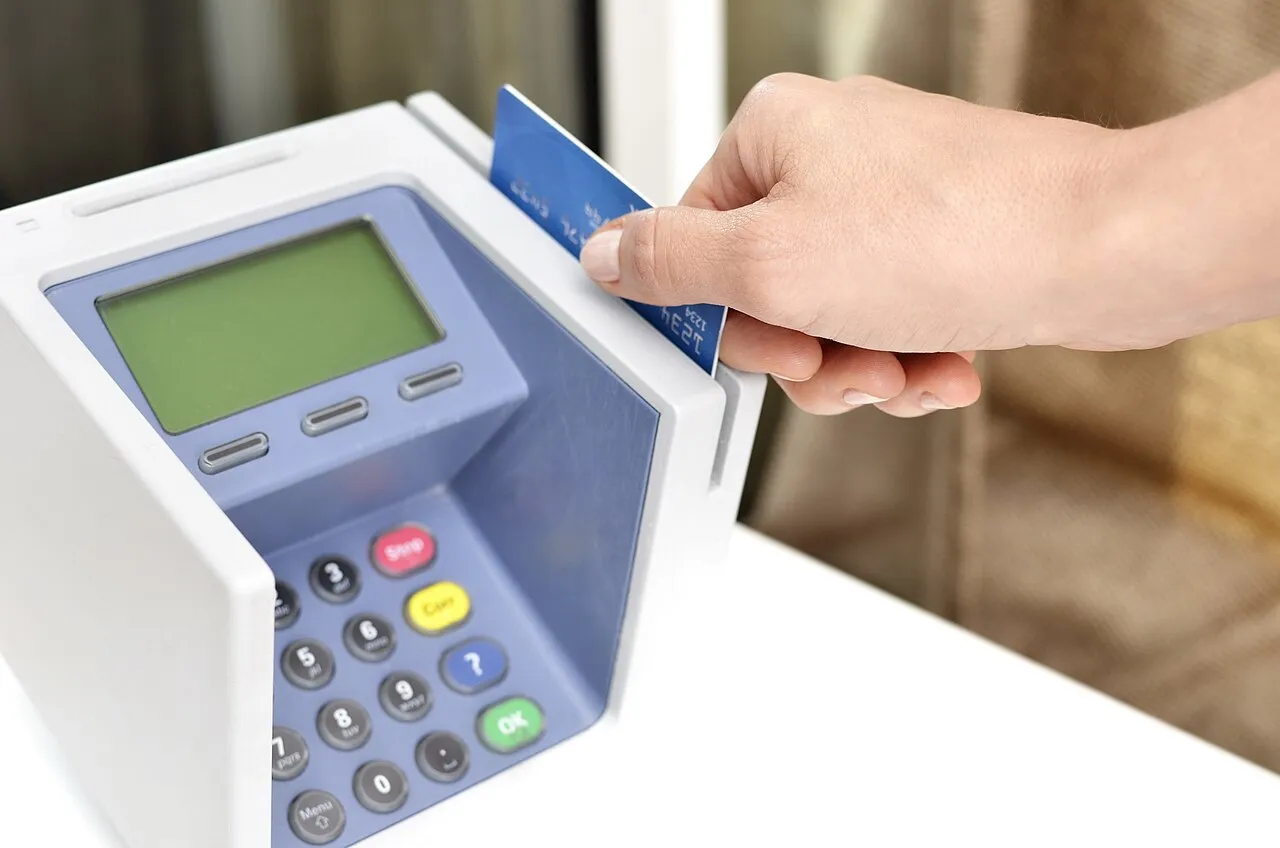
A VPN protects the connection your card data travels over; it does nothing to protect the card number itself once it reaches a merchant. That’s a separate problem, and there’s a real, underused tool built specifically for it: virtual (masked) card numbers.
Privacy.com and Capital One Eno
Privacy.com is a real, U.S.-based service offering free virtual Visa/Mastercard numbers funded from a linked debit card or bank account — you can generate single-use numbers, merchant-locked numbers, or numbers with a hard spending cap, so the merchant never actually sees your real card or bank details. Capital One Eno does something similar natively inside Capital One’s own app and browser extension: it generates a merchant-specific virtual card number for most Capital One cardholders at no extra cost, so if one retailer’s number ever leaks in a breach, your real card and every other merchant’s number stay unaffected. (Capital One, official)
Visa and Mastercard’s Own Tokenization Networks
Both major card networks run their own version of this at the infrastructure level: Visa Token Service (VTS) and Mastercard Digital Enablement Service (MDES), both built on the shared EMV Payment Tokenization Specification. In practice, this is why a saved Apple Pay or Google Pay card, or a card saved with certain major retailers, often shows a different number than your physical card — and why that stored token automatically updates when your physical card is reissued, without you having to manually re-enter anything. Combining a VPN (protects the connection) with virtual card numbers (protects the card data itself) covers two genuinely different attack surfaces, not one redundant one.
What Banks and Regulators Actually Recommend
The FTC’s own consumer guidance on public Wi-Fi notes that encryption (HTTPS, WPA2/WPA3) makes most public networks “usually safe,” but explicitly warns that a padlock icon alone isn’t proof of legitimacy, since scam sites can use HTTPS too — recommending updated software, avoiding lookalike hotspot names, and strong passwords with two-factor authentication. (consumer.ftc.gov) Major banks give similar direct guidance — for example, Chase’s own security page recommends a secure, private connection for banking, checking for HTTPS, using unique strong passwords, enabling transaction alerts, and logging out fully on shared devices. (chase.com)

How to Recognize a Fake Banking or Shopping Site
A VPN encrypts the connection to whatever site you visit — real or fake. It has no way to tell you the site itself is fraudulent, which is why recognizing a fake site yourself is a separate, necessary skill that no amount of network-level encryption can substitute for. Fraudulent banking and shopping sites have become considerably more convincing over the past few years, often copying a real institution’s exact layout, logo, and even customer-service chat widget, so relying on “it looks unprofessional” as your only signal is no longer a safe assumption.
Check the URL Character by Character
Lookalike domains rely on small, easy-to-miss substitutions — a lowercase “l” swapped for a capital “I,” an extra hyphen, a different top-level domain (.net instead of .com), or an entirely unrelated domain hidden behind a display name that looks legitimate in an email. Type your bank’s address directly rather than clicking through, and once there, bookmark it for next time.
Remember the Padlock Icon Isn’t Proof of Anything
As the FTC’s own guidance notes, a fraudulent site can hold a valid HTTPS certificate just as easily as a real one — HTTPS confirms your connection to that site is encrypted, not that the site itself is trustworthy. Treat the padlock as a baseline, not a guarantee.
Be Suspicious of Unusual Requests
A real bank will not ask you to read back a one-time passcode over the phone, provide your full password via email, or move funds to a “safe” account to protect them from fraud — these are all real, commonly reported social-engineering scripts. If a request feels procedurally unusual for your bank, call the number printed on your card or statement, not one provided in the message itself.
Practical Checklist for Banking and Shopping Online
- Use a reputable, audited VPN specifically on public or unfamiliar Wi-Fi before logging into banking or shopping accounts.
- Use a virtual/masked card number for online purchases where your bank or a service like Privacy.com offers one — it limits the damage if a merchant is ever breached.
- Enable two-factor authentication on every financial account, preferring an authenticator app or hardware key over SMS where the bank offers a choice — see our full two-factor authentication guide for why that distinction matters.
- Use a password manager so you never manually type credentials into a page that might be a lookalike domain.
- Turn on transaction alerts with your bank so you’re notified of activity in near real time by push notification or text, not after a monthly statement arrives.
- Type your bank’s URL directly rather than clicking a link from an email or text, especially anything urgent-sounding — the exact pattern behind most BEC and phishing losses cited above.
VPN for Online Banking: Frequently Asked Questions
Is it safe to do online banking on public Wi-Fi with a VPN?
Significantly safer than without one — a VPN encrypts your traffic against local-network interception — but a VPN doesn’t replace phishing awareness, since that’s a different, non-network attack vector entirely.
Do banks require or recommend VPN use?
Most banks don’t require a VPN specifically, but major banks’ own security guidance (like Chase’s, cited above) recommends a secure, private connection when banking online, which a VPN provides on untrusted networks.
Can a VPN stop phishing scams targeting my bank account?
No — a VPN protects your network connection, not your judgment about whether an email or login page is real. Domain-matching password managers and two-factor authentication are the more directly relevant protections against phishing specifically.
What are virtual card numbers and are they worth using?
Real, free tools like Privacy.com or Capital One Eno generate a masked card number tied to your real card, so a merchant breach or card leak exposes only that one masked number instead of your actual account — a genuinely useful complement to a VPN, since it protects a different part of the transaction entirely.
What’s the single biggest online fraud risk right now?
Per the FBI’s own 2025 IC3 data, phishing/spoofing is the most-reported crime type by volume, and Business Email Compromise accounted for over $3 billion in losses — both are social-engineering attacks that a VPN alone cannot prevent.
Is card-not-present fraud really rising?
Yes — the Federal Reserve Bank of Kansas City documented a real structural shift toward online (card-not-present) fraud as more commerce moves online, and a separate 2024 Federal Reserve survey found 73% of financial institutions surveyed reported debit card fraud attempts.
How can I tell if a banking site is fake?
Check the URL character by character rather than trusting a link, remember that a valid HTTPS padlock doesn’t prove legitimacy, and be suspicious of any request to read back a one-time code or move funds to a “safe” account — real banks don’t ask for either.
Related Guides
- Best VPN of 2026: Honest Comparison of 9 Providers
- Is Public Wi-Fi Safe? The Honest Security Guide
- Best Password Managers of 2026: Honest Comparison
- Two-Factor Authentication: The Essential Guide
When asking “vpn for online banking”, the answer depends on your threat model and browsing habits. The vpn for online banking question comes up frequently because users want to know what protection is actually worth paying for. Understanding vpn for online banking means looking at both what the service provides and what it cannot protect against. Every guide on vpn for online banking should start with a clear definition of the threat you are protecting against.
VPN for Online Banking: Frequently Asked Questions
Do I need a vpn for online banking?
A vpn for online banking is most useful on public Wi-Fi. At home, HTTPS already encrypts your banking sessions, but a vpn for online banking adds an extra layer against ISP surveillance or router compromise. A vpn for online banking is strongly recommended on hotel, airport, or café Wi-Fi.
Will a vpn for online banking trigger fraud alerts?
A vpn for online banking can trigger fraud alerts if your bank’s IP appears in a different country than usual. To avoid this, use a vpn for online banking server in your home country. If a vpn for online banking does trigger a fraud alert, simply verify your identity with the bank.
Is vpn for online banking legal?
Yes — vpn for online banking is legal in most countries. Some banks may restrict vpn for online banking in their terms, but enforcement is extremely rare. A vpn for online banking is a standard privacy practice recommended by cybersecurity professionals.
Best vpn for online banking in 2026?
NordVPN is the best vpn for online banking — strong encryption, no-log policy audited by KPMG, and bank-grade TLS support. ExpressVPN is the fastest vpn for online banking. See our NordVPN review and best VPN 2026 for vpn for online banking recommendations.