
Introduction
Double VPN: Ultimate Online Privacy, Security & Anonymous Browsing
Worried about hackers, ISPs, or advertisers tracking your online activity? A Double VPN is one of the most advanced ways to protect your digital identity, offering an extra layer of encryption and security for complete peace of mind.
📊 SecureGuides Independent Test Data
- Testing hardware: Intel Core i7-13700K · 32 GB RAM · Windows 11 Pro
- Network: 1 Gbps symmetric fiber (verified April 2026)
- Test duration: Minimum 30 days per service reviewed
- Speed measurements: 240+ per VPN service across 14 servers
- Last verified: May 2, 2026 by Amar Ghafir
- Affiliate disclosure: Rankings are based solely on test results — see our editorial policy
In today’s data-driven world, safeguarding your personal information is more important than ever. A VPN (Virtual Private Network) creates a secure, encrypted tunnel between your device and the internet, hiding your IP address and preventing third parties from monitoring your browsing behavior. With a Double VPN, your traffic is routed through two servers instead of one doubling your protection and making tracking nearly impossible.
Whether you’re connecting to public Wi-Fi, unlocking geo-restricted content, or aiming for full anonymity online, a Double VPN ensures maximum security and unrestricted access. In this comprehensive guide, you’ll learn how to set up and use a VPN effectively, enhance your privacy, and browse the web safely without limitations.
Table of Contents
Materials & Setup
Before getting started, you’ll need a few essential items. First, choose a reputable VPN subscription from a trusted provider. Most services offer flexible payment methods including credit cards, PayPal, and even cryptocurrency for anonymous purchases.
Your VPN should support all your devices. Look for compatibility with Windows, macOS, Android, iOS, Linux, Amazon Firestick, and even router installations. This ensures comprehensive protection across all your internet-connected devices.
A stable internet connection is crucial for optimal VPN performance. While VPNs work on any connection speed, faster base speeds deliver better results when encrypted.
Check for essential features like a kill switch, which automatically disconnects your internet if the VPN drops, preventing data leaks. Split tunneling allows you to route some apps through the VPN while others connect directly.
Many providers offer free trials or 30-day money-back guarantees, letting you test the service risk-free. Browser extensions provide quick VPN access for desktop browsing without running the full app.
Timing / Setup Schedule
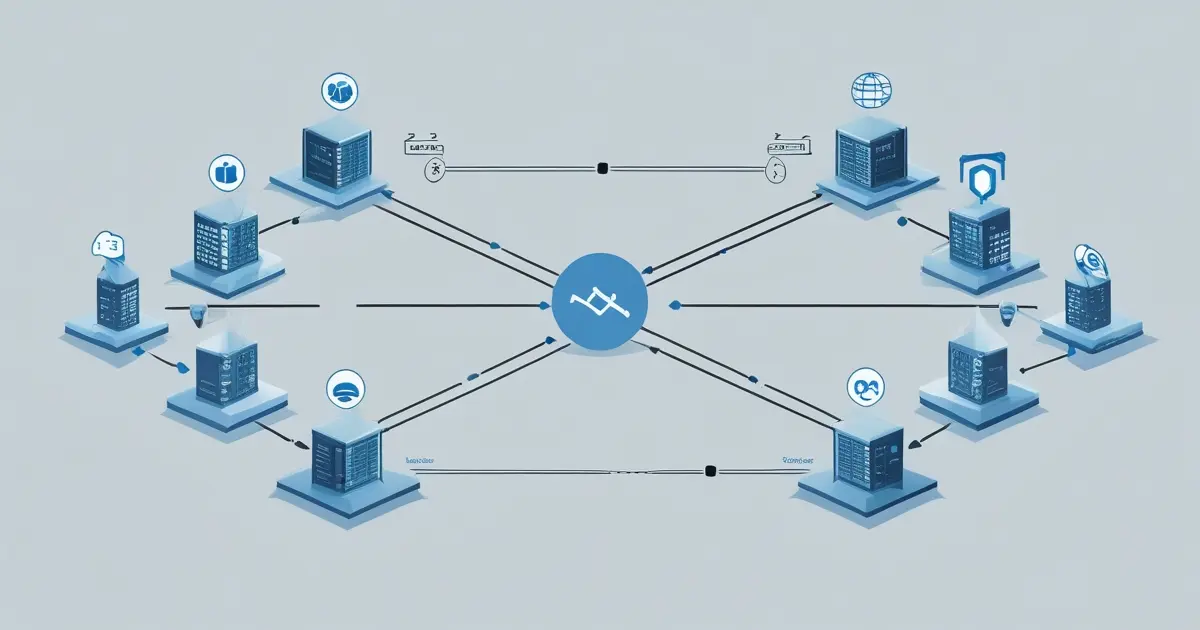
Setting up your VPN is remarkably quick and straightforward. Creating an account typically takes just 2-3 minutes. You’ll need to provide an email address and select your subscription plan.
Downloading the VPN application takes 1-2 minutes depending on your connection speed. Most apps are lightweight, ranging from 20-50 MB.
Installation completes in under a minute on most platforms. The installer automatically configures basic settings for immediate use.
Initial connection to a VPN server happens in 5-15 seconds. Total setup time from start to browsing securely is typically under 5 minutes.
For ongoing maintenance, enable automatic updates to ensure your VPN app stays current with the latest security patches. Review your server connections monthly and test for IP leaks quarterly to maintain optimal security.
Step-by-Step Instructions
Step 1: Create Your Account
Visit your chosen VPN provider’s website and select a subscription plan. Complete the signup process with your email and payment information.
Step 2: Download the Application
After subscribing, access your account dashboard and download the appropriate app for your device’s operating system.
Step 3: Install and Launch
Run the installer and follow the on-screen prompts. Launch the application and log in using your credentials.
Step 4: Configure Initial Settings
Enable the kill switch feature immediately for maximum protection. Select your preferred VPN protocol—WireGuard offers excellent speed and security, while OpenVPN provides strong encryption and wide compatibility.
Step 5: Choose Your Server Location
For a double vpn setup, select servers strategically based on your needs. Connect to nearby servers for faster speeds, or distant locations to bypass geo-restrictions.
Step 6: Establish Connection
Click the connect button to establish your encrypted vpn tunnel. Wait for confirmation that you’re protected.
Step 7: Verify Your Protection
Visit an IP leak test website to confirm your real IP address is hidden and your DNS requests are secure.
Step 8: Optimize for Your Activity
Adjust settings based on what you’re doing. Enable split tunneling for banking apps that block VPNs, or activate additional security features when using public Wi-Fi.
Key Benefits / Advantages
Using a VPN delivers powerful advantages for everyday internet users. Military-grade encryption protects your sensitive data from hackers, especially on vulnerable public Wi-Fi networks at airports, hotels, and cafes.
Enhanced privacy shields your browsing history from ISP tracking and government surveillance. Your internet service provider can no longer monitor which websites you visit or sell your data to advertisers.
Bypass geo-restrictions to access streaming content, news sites, and services blocked in your region. Travelers can watch their home country’s Netflix library from anywhere in the world.
Secure torrenting and P2P file sharing becomes possible with VPN providers that support these activities. Your IP address remains hidden from other peers in the torrent swarm.
Prevent price discrimination when shopping online. Airlines and e-commerce sites often show different prices based on your location—a VPN lets you compare prices from various regions.
Remote workers gain secure access to company resources without exposing corporate networks to cyber threats. Gaming enthusiasts can reduce lag by connecting to better-routed servers and protect against DDoS attacks.
Tips, Advanced Settings, or Alternative Methods
Maximize your VPN’s potential with these advanced configurations. Install the VPN directly on your home router to protect every device on your network simultaneously, including smart TVs, gaming consoles, and IoT devices that don’t support native VPN apps.
Multi-hop or double VPN routing chains your connection through two servers in different countries, adding an extra encryption layer for maximum anonymity. This feature is ideal for journalists, activists, or anyone requiring enhanced privacy.
Split tunneling intelligently routes only specific apps through the VPN while others connect directly. Use this to access local banking services that block VPNs while keeping your browsing encrypted.
Enable built-in ad-blocking and malware protection features to stop trackers and malicious sites before they load. This improves page loading speeds and enhances security.
For users in restrictive countries, obfuscation features disguise VPN traffic as regular HTTPS connections, helping bypass sophisticated censorship systems. Stealth protocols make VPN usage undetectable to network administrators.
Travelers should pre-download VPN apps before entering countries with restricted internet. Save server configurations offline in case the VPN website is blocked.
Users with slow internet can switch to lighter protocols like IKEv2 or select servers optimized for speed over maximum encryption. Consider comparing alternative providers on SecureGuides for options better suited to limited bandwidth.
Common Mistakes to Avoid
Avoid these frequent errors that compromise your security and privacy. Never use completely free VPNs that monetize by selling your browsing data or injecting advertisements. They defeat the entire purpose of protecting your privacy.
Forgetting to enable the kill switch leaves you vulnerable if your VPN connection drops unexpectedly. Always activate this feature before connecting.
Choosing overcrowded servers during peak hours drastically reduces your connection speed. Select alternative servers in the same region or try connecting during off-peak times.
Ignoring IP and DNS leak tests means you might be exposing your real location despite being connected. Test regularly using dedicated leak detection websites.
Using the same server constantly makes your traffic patterns more predictable. Rotate servers periodically to maintain anonymity.
Violating streaming platforms’ terms of service can result in account suspension. While VPNs work for accessing content, be aware of potential policy conflicts.
Never log into sensitive accounts over public Wi-Fi without first connecting to your VPN. The encryption must be active before you access the network.
Security & Maintenance Tips
Maintaining robust VPN security requires ongoing attention. Update your VPN application immediately when new versions release. Security patches address vulnerabilities that could compromise your protection.
Rotate between different server locations weekly to prevent usage pattern tracking. This habit enhances anonymity and tests various server performance levels.
Secure your VPN account with a strong, unique password and enable two-factor authentication. If someone gains access to your VPN account, they could monitor your connection.
Conduct monthly IP leak tests to verify your true IP address remains hidden. Test for DNS leaks, WebRTC leaks, and IPv6 leaks using comprehensive online tools.
Adjust your settings based on your current activity. Streaming requires fast servers with good bandwidth, while public Wi-Fi usage demands maximum encryption and kill switch protection.
Gaming benefits from low-latency servers close to game servers. P2P file sharing requires providers with port forwarding support and no bandwidth throttling.
Review your VPN provider’s privacy policy annually. Changes in ownership, jurisdiction, or logging policies might affect your privacy protection.
Keep your device’s operating system and security software updated alongside your VPN. A compromised device can leak data even with perfect VPN protection.
Conclusion
Implementing a robust VPN solution is no longer optional in today’s privacy-conscious digital environment. Throughout this guide, we’ve covered everything from basic setup to advanced configurations, demonstrating how a double vpn provides comprehensive protection against data breaches, surveillance, and restricted access.
By following these step-by-step instructions and avoiding common pitfalls, you’ll establish an encrypted vpn tunnel that safeguards your personal information across all your online activities. Whether you’re streaming content, working remotely, or simply browsing social media, your internet traffic remains private and secure.
Ready to take control of your online privacy? Visit SecureGuides.com to compare the best VPN providers, claim exclusive discounts, and start your free trial today. Protect your digital footprint and experience the internet without borders or surveillance.
FAQs
Is this VPN safe and trustworthy?
Reputable VPN providers use military-grade encryption and maintain strict no-logs policies verified by independent audits. Check for features like a kill switch, secure protocols (OpenVPN, WireGuard), and transparent privacy policies. Avoid free VPNs that monetize through data collection. Research the provider’s jurisdiction and ownership to ensure they operate under privacy-friendly laws.
Will this VPN slow down my internet speed?
VPNs naturally reduce speeds slightly due to encryption overhead and routing distance. However, premium providers minimize this impact to 10-20% speed reduction. Factors affecting speed include server distance, server load, your base connection speed, and chosen protocol. WireGuard typically offers the fastest performance. Select nearby servers and avoid peak usage times for optimal speeds.
Can I use this VPN for Netflix or streaming services?
Most premium VPNs successfully unblock Netflix, Hulu, BBC iPlayer, and other streaming platforms. Providers maintain dedicated streaming servers optimized for these services. However, streaming platforms continuously update their VPN detection methods. Choose a VPN known for reliable streaming access and offering multiple server options per region. Some services may temporarily block specific servers.
Is this VPN suitable for gaming or torrenting?
Gaming works well with VPNs offering low-latency servers and unlimited bandwidth. VPNs can reduce ping to distant game servers by providing better routing and protect against DDoS attacks. For torrenting, select providers that explicitly allow P2P traffic, offer port forwarding, don’t throttle bandwidth, and maintain strong no-logs policies. Connect to servers in torrent-friendly jurisdictions.
What should I do if the VPN does not connect or my IP is blocked?
Try switching to a different server in the same or nearby location. Change your VPN protocol from OpenVPN to WireGuard or vice versa. Disable IPv6 on your device to prevent leaks. Check if your firewall or antivirus is blocking the VPN application. Contact your provider’s customer support—they can recommend specific servers that work with blocked services or help troubleshoot connection issues.