
Introduction
Remote work and secure network access have become critical for businesses of all sizes. If you’re responsible for managing or accessing a corporate network, you’ve probably encountered the need for a watchguard ssl vpn download.
This secure connection solution allows employees, contractors, and remote teams to safely access company resources from anywhere in the world. For American businesses prioritizing cybersecurity and compliance, understanding how to properly download, configure, and use WatchGuard’s SSL VPN client is essential. This comprehensive guide walks you through everything you need to know about getting started with WatchGuard’s remote access technology.
Table of Contents
What Is It?
WatchGuard SSL VPN is a secure remote access solution that enables users to connect to their corporate network through an encrypted tunnel over the internet. Unlike traditional VPNs that may require complex network configurations, SSL VPN leverages standard SSL/TLS protocols—the same encryption technology that secures your banking websites—to establish secure connections.
The WatchGuard SSL VPN download typically refers to the client software you install on your computer or mobile device to initiate these secure connections. This client authenticates your identity, encrypts all data transmitted between your device and the corporate network, and ensures that sensitive business information remains protected from eavesdroppers and cybercriminals.
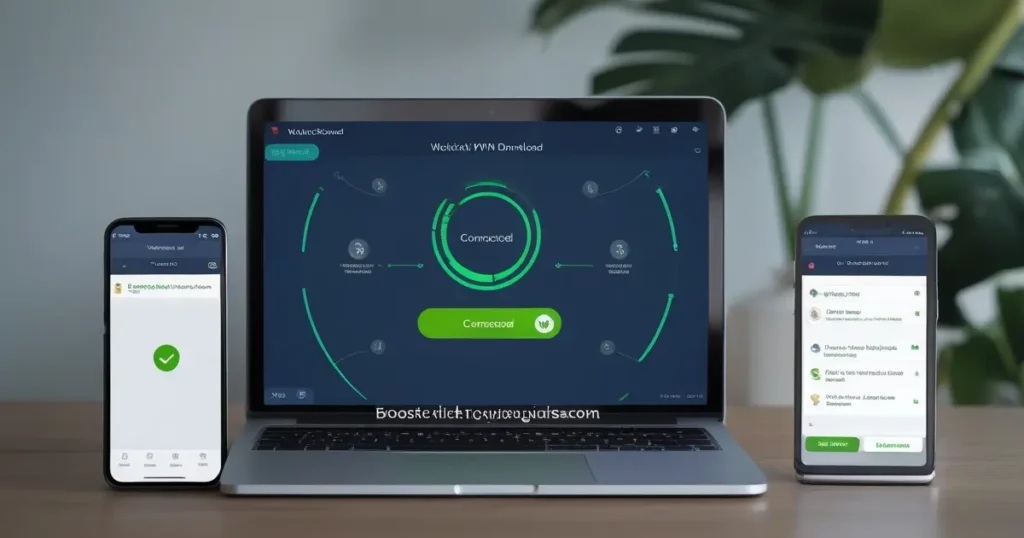
WatchGuard offers different client options depending on your needs. The SSL VPN client provides browser-based or application-based access to network resources, while the watchguard mobile vpn client extends this functionality to smartphones and tablets, allowing truly flexible remote work capabilities.
Why It Matters for USA Users
For businesses and professionals operating in the United States, secure remote access isn’t just a convenience—it’s often a regulatory requirement. Industries like healthcare, finance, and legal services must comply with strict data protection standards such as HIPAA, SOX, and various state-level privacy laws.
American companies face increasing cybersecurity threats, with remote access vulnerabilities being a prime target for attackers. According to recent reports, unauthorized network access accounts for a significant percentage of data breaches affecting US businesses. A properly configured WatchGuard SSL VPN creates a secure perimeter around your corporate resources, dramatically reducing the attack surface.
Furthermore, the distributed nature of the modern American workforce—with employees working from home offices, coffee shops, airports, and co-working spaces—means that unencrypted connections over public Wi-Fi networks pose serious security risks. SSL VPN technology ensures that regardless of where your team members connect from, their communications remain confidential and tamper-proof.
For organizations with multi-state or international operations, WatchGuard’s solution provides consistent security policies across all access points, simplifying compliance audits and reducing administrative overhead.
Key Features to Look For
When evaluating or downloading the WatchGuard SSL VPN client, several critical features distinguish enterprise-grade solutions from basic remote access tools:
Multi-Factor Authentication (MFA): The best implementations require more than just a username and password. Look for support of authenticator apps, hardware tokens, or biometric verification to add additional security layers.
Split Tunneling Options: This feature allows you to route some traffic through the VPN while accessing other internet resources directly, improving performance for non-sensitive activities while maintaining security for corporate data.
Endpoint Security Integration: Advanced WatchGuard implementations can verify that connecting devices meet minimum security standards—checking for updated antivirus software, operating system patches, and firewall configurations before granting network access.
Cross-Platform Compatibility: Your workforce likely uses a mix of Windows, macOS, iOS, and Android devices. Ensure the WatchGuard client supports all platforms your organization uses.
Granular Access Control: Not every remote user needs access to every network resource. Quality SSL VPN solutions allow administrators to define precise permissions based on user roles, departments, or security clearance levels.
Logging and Monitoring: Comprehensive audit trails help with compliance requirements and security investigations, recording who accessed what resources and when.
Performance Optimization: Features like connection load balancing and bandwidth management ensure that remote workers experience acceptable performance even when network resources are under heavy demand.
Step-by-Step: How to Choose or Use It
Getting started with WatchGuard SSL VPN involves several straightforward steps. Here’s how to approach the download and setup process:
Step 1: Verify Your Access Credentials
Before attempting to download any software, confirm with your IT department or network administrator that you have been provisioned with VPN access. You’ll need your username, initial password, and the specific server address or URL for your organization’s WatchGuard gateway.
Step 2: Access the Download Portal
Most WatchGuard implementations provide a web-based download portal. Your administrator will supply a URL (typically something like vpn.yourcompany.com). Navigate to this address using a standard web browser. You’ll be presented with a login page where you can authenticate and access download options.
Step 3: Select the Appropriate Client
The download page typically offers multiple options depending on your device and operating system. Choose the version that matches your device—Windows clients differ from macOS, Linux, or mobile versions. Pay attention to 32-bit versus 64-bit options if you’re using Windows.
Step 4: Install the Software
Once downloaded, run the installation file. On Windows, you may need administrator privileges. On macOS, you might need to grant security permissions in System Preferences. Follow the on-screen prompts, accepting default settings unless your IT department has provided specific configuration instructions.
Step 5: Configure Connection Settings
After installation, launch the WatchGuard client. Enter the server address provided by your administrator. Most modern implementations will auto-configure many settings, but you may need to specify authentication methods or adjust advanced options based on your organization’s policies.
Step 6: Connect and Authenticate
Enter your credentials when prompted. If multi-factor authentication is enabled, you’ll receive a secondary verification request through your chosen method. Once authenticated, the client will establish an encrypted tunnel to your corporate network.
Step 7: Verify Connectivity
After connection, test access to internal resources like file shares, intranet sites, or business applications. If you experience issues, check with your IT support team rather than attempting to troubleshoot advanced network settings yourself.
Best Use Cases
Understanding when and how to use your WatchGuard SSL VPN connection optimizes both security and productivity:
Remote Office Access: The most common scenario involves employees working from home who need to access files, databases, or applications hosted on company servers. The SSL VPN creates a secure bridge that makes remote access function as though you’re sitting in the office.
Contractor and Third-Party Access: Temporary workers, consultants, or partner organizations often need limited network access. SSL VPN allows granular permission settings, providing necessary access without exposing sensitive areas of your network.
Travel Security: Business travelers frequently connect through hotel Wi-Fi, airport hotspots, or other untrusted networks. Using SSL VPN before accessing company email or cloud services protects against man-in-the-middle attacks and credential theft.
Compliance Requirements: Organizations handling protected health information, financial data, or personally identifiable information can use SSL VPN to satisfy regulatory requirements for data encryption in transit.
BYOD Environments: Companies allowing employees to use personal devices for work can implement SSL VPN with endpoint security checks to ensure these devices meet minimum security standards before accessing corporate resources.
Emergency Response: During crisis situations requiring rapid deployment of remote work capabilities, SSL VPN provides quick, secure access without extensive network reconfiguration.
Pros and Limitations
Like any technology solution, WatchGuard SSL VPN offers distinct advantages alongside certain constraints:
Advantages:
The technology uses standard SSL/TLS protocols, meaning it works through most firewalls without requiring special network configurations that plague some VPN technologies. This makes it particularly valuable in restrictive network environments.
Browser-based access options eliminate the need for software installation in some configurations, allowing quick access from public computers or devices where you lack administrative rights (though this approach trades some convenience for reduced security).
WatchGuard’s reputation for robust security means the platform receives regular updates addressing emerging threats, and the company maintains strong relationships with enterprise security teams.
Administrative flexibility allows IT departments to implement sophisticated access policies without burdening end users with complex configuration requirements.
Limitations:
Performance can suffer compared to dedicated network connections, especially for bandwidth-intensive applications like video editing or large file transfers. The encryption/decryption process and internet routing add latency that some applications struggle with.
The solution requires proper configuration and maintenance. Poorly configured SSL VPN implementations can create security vulnerabilities rather than eliminating them. Organizations need skilled IT staff or managed security services.
License costs for enterprise-grade WatchGuard solutions can be significant for smaller organizations, though the investment typically justifies itself through prevented breaches and improved productivity.
Some legacy applications may not function properly over SSL VPN connections, particularly those using non-standard network protocols or requiring specific network topologies.
User experience depends heavily on internet connection quality. Remote workers with poor residential internet service will experience frustration regardless of how well the VPN itself performs.
Tips and Expert Advice
Maximizing security and usability of your WatchGuard SSL VPN requires attention to several best practices:
Never Share Credentials: Each user should have unique login credentials. Shared accounts eliminate accountability and create security vulnerabilities that attackers exploit. If a team member leaves the organization, individual accounts can be promptly disabled.
Keep Software Updated: Enable automatic updates for the WatchGuard client whenever possible. Security patches addressing newly discovered vulnerabilities are released regularly, and running outdated client software exposes you to known exploits.
Use Strong, Unique Passwords: Your VPN password should be different from other accounts and meet complexity requirements. Consider using a password manager to generate and store complex credentials securely.
Enable All Available Security Features: If your organization supports multi-factor authentication, use it. If the client offers to remember your connection settings but not your password, accept that compromise—it balances convenience with security.
Disconnect When Not Actively Using: Leaving VPN connections open indefinitely increases your exposure window if your device is compromised. Disconnect when you’re finished accessing corporate resources, especially on mobile devices or laptops that move between locations.
Verify Connection Status: Before accessing sensitive information, confirm that your VPN connection is active. Most clients display a status icon, but it’s worth double-checking rather than assuming.
Report Suspicious Behavior Immediately: If you notice unusual connection errors, unexpected authentication requests, or strange behavior after connecting, notify your IT security team immediately. These could indicate attempted intrusions or compromised credentials.
Test Backup Access Methods: Understand your organization’s procedures if the primary VPN service experiences an outage. Having alternative communication channels with your IT department prevents productivity loss during technical issues.
Common Mistakes to Avoid
Even experienced professionals make errors that compromise security or cause connection problems:
Installing from Unofficial Sources: Always download the WatchGuard client from your organization’s official portal or the verified WatchGuard website. Third-party download sites may bundle malware with legitimate software, creating the exact security problems VPN is supposed to prevent.
Ignoring Certificate Warnings: If your browser or VPN client displays SSL certificate warnings when connecting, don’t simply click through them. These warnings might indicate a man-in-the-middle attack. Contact your IT department for guidance before proceeding.
Using VPN on Already-Compromised Devices: If your computer has malware, connecting to your corporate network via VPN potentially exposes the entire organization. Ensure your device is clean and properly secured before establishing VPN connections.
Disabling Firewalls or Antivirus: Some users mistakenly believe that VPN eliminates the need for endpoint security. The VPN protects data in transit but doesn’t prevent malware from infecting your local device. Keep all security software active.
Connecting from Untrusted Devices: Public computers at libraries, hotels, or internet cafes may have keyloggers or other monitoring software installed. Avoid accessing your VPN from devices you don’t control unless absolutely necessary and your organization specifically permits it.
Failing to Log Out Properly: Simply closing the VPN client window doesn’t always terminate the connection. Use the proper disconnect or logout function to ensure your session is fully closed and resources are released.
Overlooking Mobile Device Security: Mobile VPN clients deserve the same security attention as desktop versions. Use device encryption, screen locks, and remote wipe capabilities on any phone or tablet with VPN access to corporate resources.
Our Verdict
WatchGuard SSL VPN represents a mature, enterprise-ready solution for organizations serious about secure remote access. For American businesses navigating complex regulatory landscapes while supporting flexible work arrangements, the platform delivers the security features and administrative control necessary for peace of mind.
The watchguard ssl vpn download process is straightforward for end users, particularly in well-managed IT environments where administrators have properly configured access portals and documentation. While the technology requires investment in both licensing and skilled administration, this cost pales in comparison to the potential losses from a single data breach caused by unsecured remote access.
The solution shines in mid-to-large organizations with dedicated IT resources and complex security requirements. Smaller businesses might find the administrative overhead challenging unless they partner with managed security service providers familiar with WatchGuard implementations.
Performance generally meets expectations for typical business applications—email, document access, cloud services, and internal web applications all function well. Bandwidth-intensive workflows may require supplemental solutions or network optimization.
The verdict: If your organization already uses WatchGuard security appliances, the SSL VPN component integrates seamlessly and leverages your existing infrastructure investment. For organizations evaluating remote access solutions, WatchGuard merits serious consideration alongside competitors, with the decision ultimately depending on specific technical requirements, existing infrastructure, and budget constraints.
FAQs
Is WatchGuard SSL VPN free to download?
The client software download itself is typically provided at no additional charge to users within organizations that have purchased and licensed WatchGuard security appliances with SSL VPN capabilities. However, the underlying infrastructure—the WatchGuard firewall and appropriate licensing—requires commercial purchase and subscription. Individual users cannot simply download and use WatchGuard SSL VPN without an organizational deployment to connect to.
Can I use WatchGuard SSL VPN on multiple devices?
This depends on your organization’s licensing and policies. Technically, you can install the watchguard ssl vpn download on multiple devices you own (work laptop, home desktop, smartphone, tablet), but your organization may limit simultaneous connections or restrict which device types can connect. Check with your IT department about your specific allowances. Some licensing models charge per concurrent connection rather than per user, affecting how organizations manage multi-device access.
What’s the difference between WatchGuard SSL VPN and Mobile VPN?
SSL VPN typically refers to the browser-based or desktop client application that creates secure tunnels using SSL/TLS protocols, often providing access to specific applications or web-based resources. Mobile VPN generally refers to IPsec-based VPN clients optimized for smartphones and tablets, providing full network-layer access similar to being physically on the corporate network. Mobile VPN often handles network transitions (switching between Wi-Fi and cellular) more gracefully than traditional SSL VPN. Your organization may deploy both technologies for different use cases—SSL VPN for web application access, and Mobile VPN for comprehensive network connectivity on mobile devices.
How do I troubleshoot connection problems with WatchGuard SSL VPN?
Start with basic checks: verify your internet connection works for other services, confirm your credentials are correct, and ensure the VPN client software is updated. Check that any required multi-factor authentication methods are functioning. If problems persist, collect error messages or codes displayed by the client and contact your IT support team—they can examine server logs to identify whether the issue involves authentication, network routing, or configuration problems. Avoid attempting advanced troubleshooting yourself, as incorrect changes can create security vulnerabilities or complicate diagnosis for support staff.
Does WatchGuard SSL VPN work with streaming services?
This is typically a poor use case for corporate VPN technology. Most organizations configure SSL VPN with split tunneling that routes only corporate-bound traffic through the VPN, allowing personal internet traffic to flow directly to maximize performance. Even if full tunneling is enabled, using corporate VPN connections for personal streaming violates most acceptable use policies, consumes bandwidth needed for business purposes, and may trigger content licensing restrictions (as the streaming service sees corporate IP addresses rather than residential ones). For personal privacy and streaming needs, consider consumer VPN services separate from your work VPN—never confuse the two different use cases.
Can I access my WatchGuard SSL VPN from anywhere in the world?
Technically yes, but with important caveats. The SSL VPN client should function from any location with internet connectivity. However, some countries actively block or restrict VPN usage, and you may encounter network environments where VPN protocols are filtered. Additionally, your organization may implement geo-fencing policies that restrict VPN access from certain countries or regions for security or compliance reasons. If you’re traveling internationally for work, inform your IT department beforehand to understand any restrictions and ensure your account has appropriate permissions for the locations you’ll visit.